
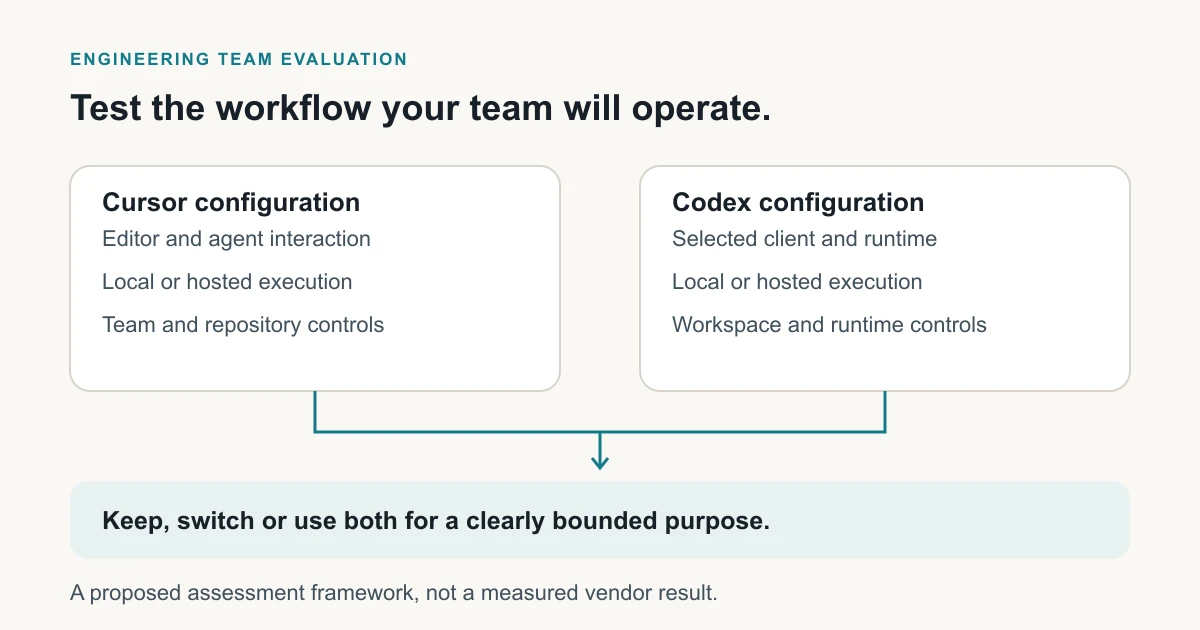
Choose Cursor or Codex by testing the work your team needs to complete. Compare the editor experience, local and hosted tasks, access controls and accepted code changes. Use the same repositories and tests. Keep the current tool unless the alternative adds enough value to cover the cost of switching.
Last verified: November 3, 2026, against the linked vendor documentation. The evaluation below is a proposed team pilot, not a measured comparison.
Understand the products and where tasks run
Cursor is an AI code editor. Its Agent edits files and runs commands; Cloud Agents handle tasks in hosted environments. Codex is OpenAI's coding agent. OpenAI documents Codex in IDE, command-line, web and other development workflows.
Both products support more than one way to run agent tasks. Name the client the engineering group will use. Review hosted tasks separately from work running on a developer's machine.
For example, a team may rely on interactive editing for routine changes but want to delegate test maintenance. Compare those jobs separately. A tool can be valuable for one without replacing the other.
Use the broader Codex alternatives guide for the initial shortlist. This page focuses on the company-level Cursor-versus-Codex decision and its switching costs. If GitHub is central to the shortlist, use the Copilot-versus-Claude Code comparison for that separate choice. For the wider engineering context, start at the agentic AI guide.
Cursor vs Codex: the six buying questions
Keep the proposed plan, client and execution environment beside every answer. SSO means single sign-on; SCIM automates account provisioning. MCP, the Model Context Protocol, connects AI clients to tools and context.
| Buying question | Cursor | Codex |
|---|---|---|
| Price per seat | Use the current team or Enterprise quote, the selected seat types and separately billed usage. Price optional hosted workflows explicitly. | Identify the ChatGPT plan or other billing route used for Codex, included allowance and separately billed usage. |
| Admin controls | Team Rules provide dashboard-managed agent instructions, including mandatory rules. Instructions guide model behavior; they do not replace access controls. Privacy and Cloud Agent settings are separate. | The sandbox limits where Codex can act; approval policy controls when it asks permission. Configure local and hosted work separately. |
| SSO and SCIM | Confirm the selected offer's identity features and test removal from team membership and connected repositories. | Confirm the workspace offer and provisioning arrangement; test removal from the actual clients and execution paths. |
| Audit and compliance APIs | Establish which administration, usage and execution records the selected plan provides. | Establish which workspace, runtime and provider records the selected deployment provides. |
| MCP support | Check the approved server, authentication, available tools and effective organization policy in the chosen client. | Check the same server and permissions in the chosen Codex surface; don't infer identical capability from the protocol name. |
| What migrates | Project rules use .cursor/rules/*.mdc files with fields controlling when they apply. Dashboard-managed Team Rules have a separate scope. | Codex combines AGENTS.md guidance from global and project locations. Map when each instruction applies; copying files does not preserve Cursor's activation rules. |
Cursor's pricing page and OpenAI's plan documentation are the starting points for the commercial check. Record the current quote and billing assumptions in the pilot. Individual-plan prices don't establish the cost or controls of a company deployment.
Compare the daily developer workflow
Start by observing an ordinary change in an approved repository. Does the engineer need frequent inline interaction, an agent that works across files, or a delegated task reviewed later? Identify what the current setup does well before trying to replace it.
Include editor behavior in the acceptance tests. If the team depends on a particular completion experience, navigation pattern or extension, demonstrate its replacement. A capable task-running agent doesn't establish parity for every editor habit.
Record task quality and interface preference separately. An engineer may prefer the familiar editor but accept better results from another tool for a specific task. Keep the decision tied to that work.
For the example service team, use a regression-test addition, a small bug fix and a bounded refactor. Start each attempt from the same reviewed state. Let the engineer use the candidate as intended, while preserving the same tests and reviewer standard.
Check what stays local and what leaves the machine
Local execution doesn't mean the model runs locally. Cursor's data-governance documentation distinguishes model requests from Cloud Agent repository storage. Cloud Agents use isolated virtual machines and temporarily store encrypted repository copies. Privacy Mode addresses training use. It does not move model inference onto the developer's machine.
Record which code and context may be sent to the service or model provider. If hosted work is enabled, review the repository connection, environment, secrets and retention arrangements too. The connected Git account and the coding-tool seat are different permissions.
OpenAI's agent-approvals and security documentation separates sandbox boundaries from approval policy. It also distinguishes local and hosted execution controls. Test the configuration selected for the pilot rather than assuming one set of settings governs every surface.
Use synthetic credentials and harmless records for access tests. Demonstrate an allowed repository action, a blocked action and the expected behavior after access removal. Read the results alongside the documented controls. A model can receive input without repeating it in its output.
Map rules and integrations before switching
Cursor rules differ in where they apply and what activates them. Codex discovers AGENTS.md instructions through its own directory and precedence rules. Preserve the intended instruction, then test when each tool loads it. Instructions guide agent behavior; enforce access through the tool's actual permission settings.
Build a small mapping record for each dependency. Name the original location, intended behavior, proposed replacement, owner and acceptance test. Use keep, rebuild, replace or unresolved as the decision. Check secrets and tool permissions separately from the instruction text.
For an MCP connection, verify the tool list, identity, allowed operations and downstream data access through the selected replacement client. A connection that succeeds with an administrator account isn't sufficient evidence for an ordinary employee.
The existing Cursor-to-Claude mapping article demonstrates why file types, scope and client behavior need individual checks. Reuse its inventory method. Its destination mappings apply to Claude Code and need separate validation for Codex.
Evaluate accepted work and total operating cost
Use a short, repeatable evaluation rather than an open-ended "try both" exercise:
- Name the scope. Record approved repositories, task types, participants, surfaces and the review period.
- Fix the acceptance standard. Keep existing required tests, code-review expectations and access restrictions.
- Run comparable attempts. Retain task inputs and clean starting states. Record unsuccessful attempts alongside accepted ones.
- Count human effort. Include setup, review, correction and validation time. A generated draft isn't the final outcome.
- Price actual use. Separate seats, additional billed usage, environment costs and temporary subscription overlap.
- Decide and assign next steps. Keep, switch, use each for a bounded purpose, or repeat the specific tests that remain unresolved.
The agent-evaluation guide helps define the task record. The team-cost worksheet explains cost per accepted change. Apply its method to the actual Cursor and Codex offers instead of assuming equal task allowances.
For one team, a narrow delegated workflow may justify an additional tool. For another, the same benefit may disappear after administration and review effort. Record the reason so future model or product updates can trigger a focused reassessment.
Turn the result into a company decision
Before retiring the original tool, check that its replacement covers required work, access controls and the dependencies in the inventory. Keep a rollback owner and identify which subscriptions or integrations must remain temporarily.
The coding-agent readiness assessment covers that company inventory. The Codex-to-Claude assessment gives a separate example of the evidence needed before retiring a tool.
ASCENDING develops Jarvis Crosswalk for AI-tool migration assessments. To evaluate that offer, bring the inventory and unresolved pilot gaps to ASCENDING. Confirm what the assessment collects, what it delivers and which services are included.
The decision should identify which team, repository and execution path it covers. Reassess when those conditions change, rather than carrying a general "Cursor wins" or "Codex wins" conclusion into a different workflow.
FAQ
Is Cursor better than Codex for an engineering team?
The answer depends on the intended workflow and company controls. Compare the required editor interaction, agent tasks, local or hosted execution and accepted work in the same repositories. Keep the current tool when the alternative hasn't demonstrated a useful improvement after switching costs.
Can we keep Cursor and Codex together?
Yes, a team can evaluate a mixed operating model when each tool serves a distinct need. Assign access and billing owners, check the supported integration path, and measure the extra administration. Check the permissions of each tool separately.
Can we copy Cursor rules into Codex?
You can use the existing text as source material, but preserve and test its intended scope. Cursor and Codex load and prioritize instructions differently. Review team policies, hooks, skills, credentials and MCP connections separately before treating the new setup as equivalent.
Does running a coding agent locally keep all code on the laptop?
No. Local tool execution and model inference are separate data paths. Check what context the client sends to its service or model provider, and review hosted execution separately if enabled. Use the vendor's current data terms and the exact configuration approved by your security team.